
Add Your Own Answers to InterviewMan
Preload your own interview answers in InterviewMan using Custom Q&A Pairs. The AI uses your prepared answers when a matching question comes up, instead of generating from scratch.
Last updated
What this does
Custom Q&A pairs let you store your prepared answers inside the app. When the interviewer asks a question that matches one of your pairs, the AI uses your version instead of generating a new one.
Think of it as a cheat sheet the AI checks first. For questions you did not prepare, the AI still generates answers on its own.
How to set it up
Go to the app settings. Under the Interview section, find the text field labeled Custom Instructions.
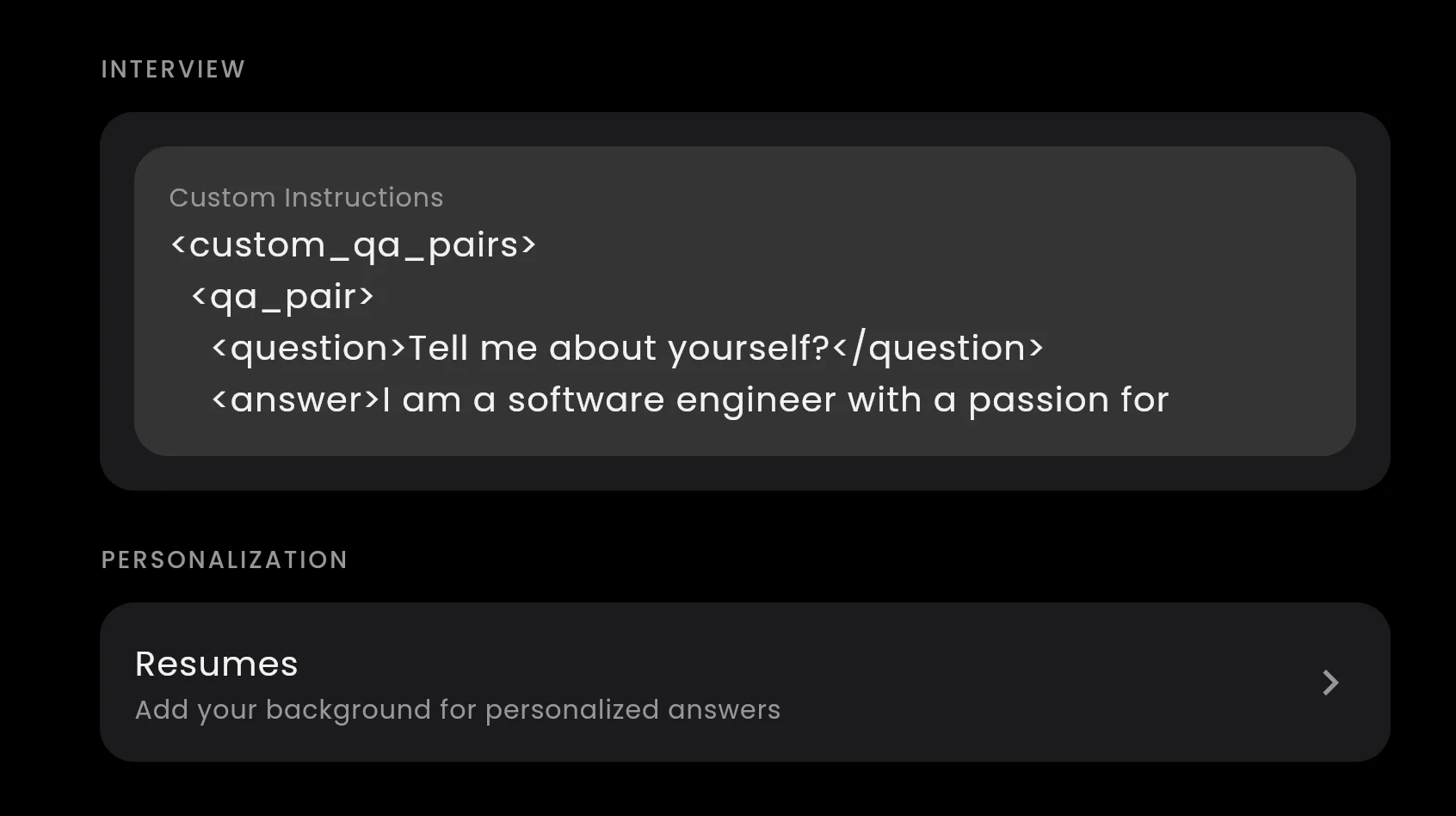
The Custom Instructions box in the app settings. Paste your Q&A pairs here.
Paste your Q&A pairs in the XML format below, replacing the example questions and answers with your own:
<custom_qa_pairs>
  <qa_pair>
    <question>Tell me about yourself?</question>
    <answer>I'm a backend engineer with 4 years at a fintech startup where I rebuilt the payment pipeline from a monolith to microservices. That cut transaction failures by 60%.</answer>
  </qa_pair>
  <qa_pair>
    <question>Why do you want to work here?</question>
    <answer>I've been following your engineering blog, especially the post about migrating to event-driven architecture. That's exactly the kind of problem I want to solve at scale.</answer>
  </qa_pair>
  <qa_pair>
    <question>What is your biggest weakness?</question>
    <answer>I tend to over-engineer early. I've learned to ship the simple version first and only abstract when there's a second use case.</answer>
  </qa_pair>
</custom_qa_pairs>
You can add as many pairs as you need. Each one goes inside its own qa_pair block.
Multiple questions, same answer
Some questions are different words for the same thing. "Tell me about yourself," "Walk me through your resume," and "Give me a quick introduction" all expect the same answer.
Add several question tags inside one pair and they all trigger the same answer:
<qa_pair>
  <question>Tell me about yourself?</question>
  <question>Walk me through your resume</question>
  <question>Give me a quick introduction</question>
  <answer>I'm a backend engineer with 4 years building payment systems...</answer>
</qa_pair>
Match your tone everywhere
Want the AI to match your style even for questions you did not prepare? Add an instruction line after the closing tag:
<custom_qa_pairs>
  <qa_pair>
    <question>Tell me about yourself?</question>
    <answer>I'm a backend engineer, 4 years in fintech. Rebuilt the payment pipeline, cut failures by 60%.</answer>
  </qa_pair>
</custom_qa_pairs>

Instructions: Follow the style of these answers. Keep responses conversational, use specific numbers, and mention real projects.
The AI reads the examples and adjusts its tone for other questions too.
Plain text alternative
If you prefer not to use XML, you can write pairs in plain text with Q: and A: labels:
Q: Tell me about yourself
A: I'm a full-stack engineer with 5 years of experience. I own the billing service at a B2B SaaS company.

Q: Why are you leaving your current job?
A: I've grown as far as I can in a team of three. I want to join a larger engineering org.
Both formats work. XML is more reliable when you have many pairs, but plain text is fine for a few answers.
What to prepare
Focus on 3 to 5 answers where your prepared version beats anything the AI would generate:
- Your elevator pitch ("Tell me about yourself")
- "Why do you want to work here?" (company-specific, swap before each interview)
- "What is your biggest weakness?" (your rehearsed real example)
- One or two behavioral stories you already drilled in STAR format
Skip these (let the AI generate): technical knowledge questions, coding solutions, system design prompts, and anything you have not actually prepared.
Tips
Keep it short. The AI reads the Custom Instructions box before every answer. A few strong pairs work better than 20 mediocre ones. Long instructions slow the AI down. Aim for 5 to 8 pairs at most.
Write the way you talk. If you would not say "I am a dedicated and passionate professional" out loud, do not write it.
Swap before each interview. Your elevator pitch stays the same across companies. The "Why do you want to work here?" answer should be different for every interview.
Test before the real call. Start a session, say a question out loud, and check that the answer matches what you wrote.
Works with your resume. Custom Q&A pairs and your uploaded resume work together. The AI checks your Q&A pairs first. If the question does not match any pair, it reads your resume for relevant experience. If neither applies, it generates from context.
For more settings like answer length, project details, and job descriptions, see Flexible Custom Settings.