

"Bullet points or conversational?" is one of the most common questions in our Discord. People want the AI to answer the way they talk, not like a textbook. InterviewMan gives you two ways to do that: built-in templates, and your own custom template.
Last updated: October 15, 2026.
Key takeaways:
- Built-in templates: go to Settings → AI & Answers and pick an Answer Structure (STAR, CAR, SOAR, PAR or SOARA), a Response Format (Bullet Points, Conversational or Example-Driven) and an Answer Length (Short, Medium or Long).
- Your own template: go to Settings → Custom Instructions and type how you want every answer formatted.
- For behavioral and system design interviews, Bullet Points is the easiest format to glance at without looking like you are reading.
- The short version lives on our help page: Make the AI Answer in Your Style.
Option 1: Built-in templates
Open Settings → AI & Answers. You will find three settings.
Answer Structure. This decides how the AI tells a story about your past work. It matters most for behavioral questions, the ones that start with "Tell me about a time when...".
- STAR: Situation, Task, Action, Result. The most common one, and what most interviewers expect.
- CAR: Challenge, Action, Result. A shorter version of STAR.
- SOAR: Situation, Obstacle, Action, Result. Good when the story is about a problem you got past.
- PAR: Problem, Action, Result. Short and direct.
- SOARA: Situation, Objective, Action, Result, Aftermath. The last part covers what you learned or what happened next.
If you have never heard of these, pick STAR. Our STAR method guide explains it with examples.
Answers in your style
Pick STAR, bullet points or conversational, or write your own template. InterviewMan works on Mac, Windows and the web.
Download InterviewManResponse Format. This decides how the answer looks on your screen.
- Bullet Points: short ideas, one per line. Easy to glance at.
- Conversational: full sentences, close to how you would say them out loud.
- Example-Driven: the answer is built around a concrete example.
Answer Length. Short, Medium or Long. Short is best when you need to start talking fast. Long is useful for system design questions with many parts.
Option 2: Your own custom template
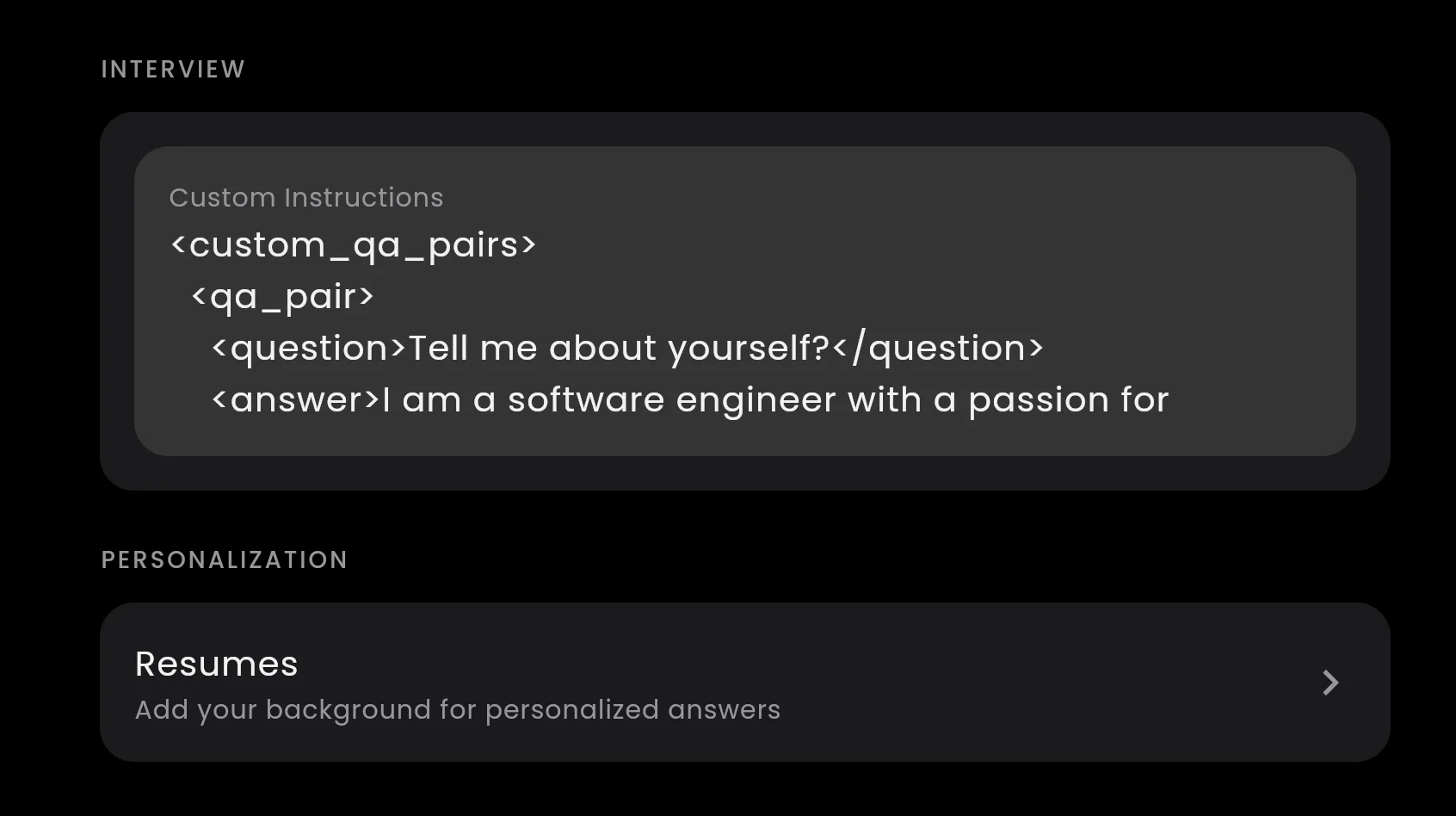
If the built-in options do not fit, write your own. Go to Settings → Custom Instructions and type exactly how you want answers formatted. For example:
Always answer in 3 bullet points: approach, example, result.
That applies to every answer automatically.
A few more ideas you can paste in:
- "Keep every answer under 60 words."
- "Use simple English, short sentences, no jargon."
- "For system design questions, start with clarifying questions, then the high-level design, then trade-offs."
You can also paste a few of your own answers so the AI copies your voice. See custom interview answers for the format.
Bullet points or conversational?
Here is what we suggest for each type of interview.
Behavioral interviews: STAR with Bullet Points. Each bullet is one part of your story. You glance at it, look back at the camera, and say it in your own words.
System design interviews: Bullet Points with a Medium or Long length. Design answers have many parts (requirements, components, data, trade-offs), and bullets keep them easy to scan. InterviewMan can also draw the architecture as a diagram. See how the AI system design assistant works.
Short HR calls: Conversational works well here. The questions are simple, and full sentences are easy to say as they are.
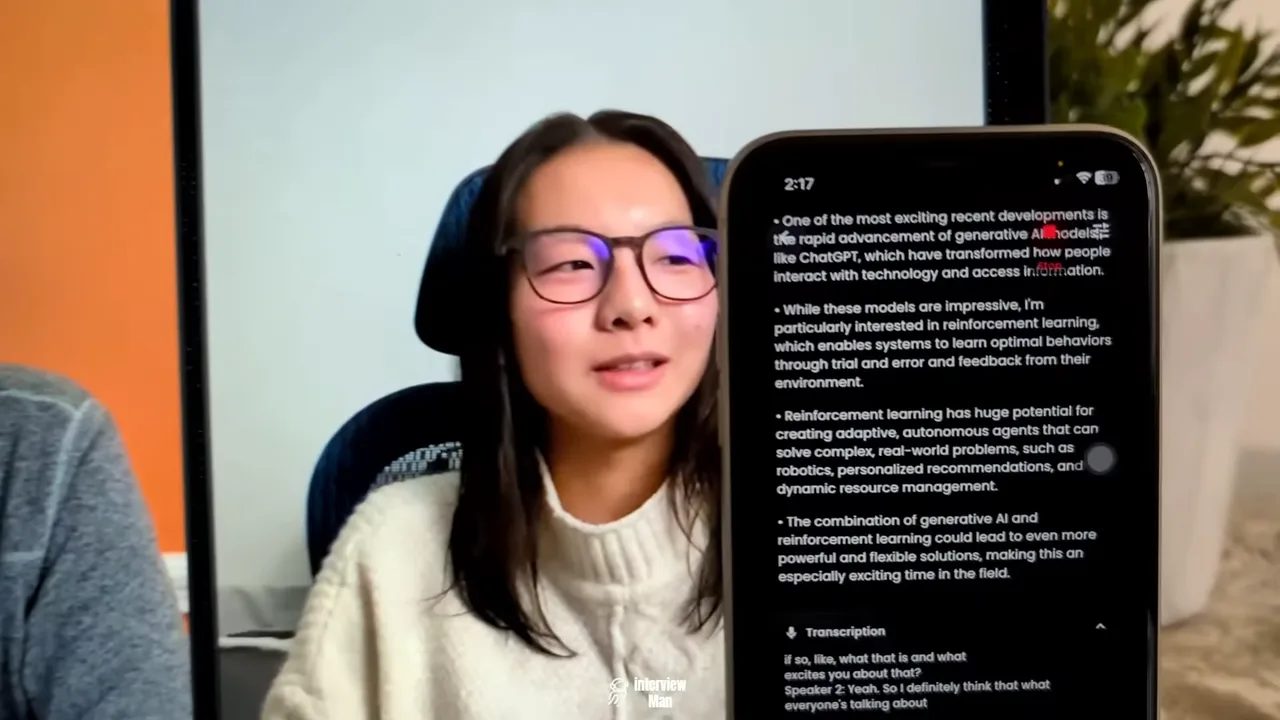
The screenshot above is from our demo video. The answer comes as four short bullets, so you can pick up the main idea in a second.
How to not look like you are reading
Interviewers can notice when your eyes move left to right, line by line. These habits help:
- Use Bullet Points and a Short length. Read one bullet, then look at the camera and say it in your own words.
- Keep the app close to your camera. Put the window at the top of the screen, near the webcam, so your eyes stay near the lens.
- Pause before you answer. "Good question, let me think about that" is normal and buys you a second.
- Practice once. Do a short mock call with a friend and test your settings before the real interview.
Bottom line
Start with the built-in templates: STAR, Bullet Points, Short. If you want more control, write one line in Custom Instructions. Try both in a practice call and keep the one that sounds most like you.
Answers in your style
Pick STAR, bullet points or conversational, or write your own template. InterviewMan works on Mac, Windows and the web.
